FTDI adapter now available

UPDATE: Eagle schematic and layout are in their github repo.
There is now also a Moteino-USB version which includes the FTDI adapter and the Moteino all in one at a combined lower price.

Some people have been asking for FTDI adapters for programming Moteinos to avoid having to buy them from another store and hence pay shipping/handling twice. So I created one. It’s actually based on the Adafruit FTDI-friend which was a very good design. Here are the features:

  • 5V power level (default) – adjustable to 3V
  • 3V logic level (default) – adjustable to 5V
  • pin 6 is RTS (default) – adjustable to DTR
  • RX/TX LEDs
  • The pinout is standard [ GND – CTS – VCC – TX – RX – RTS ] and will work with any Arduino clone that has this as a programming interface.
  • compact layout

The underside of the board contains some jumpers that are shorted for the default settings mentioned above (5V power level, 3V logic level, pin6 = RTS) – these are standard settings that come with the FTDI cables and should work in most instances. Hackers may want to switch these settings – for this the default shorts need to be cut with a razor blade and the other jumper needs to be shorted by soldering the jumper pads together.

I’m working on sourcing some USB cables to go with these soon. Here are more images and the schematic:

DSC_0640DSC_0643_logo
DSC_0641Schematic


Moteino Leo: Atmega32u4 based Moteino

MoteinoLeo_R1

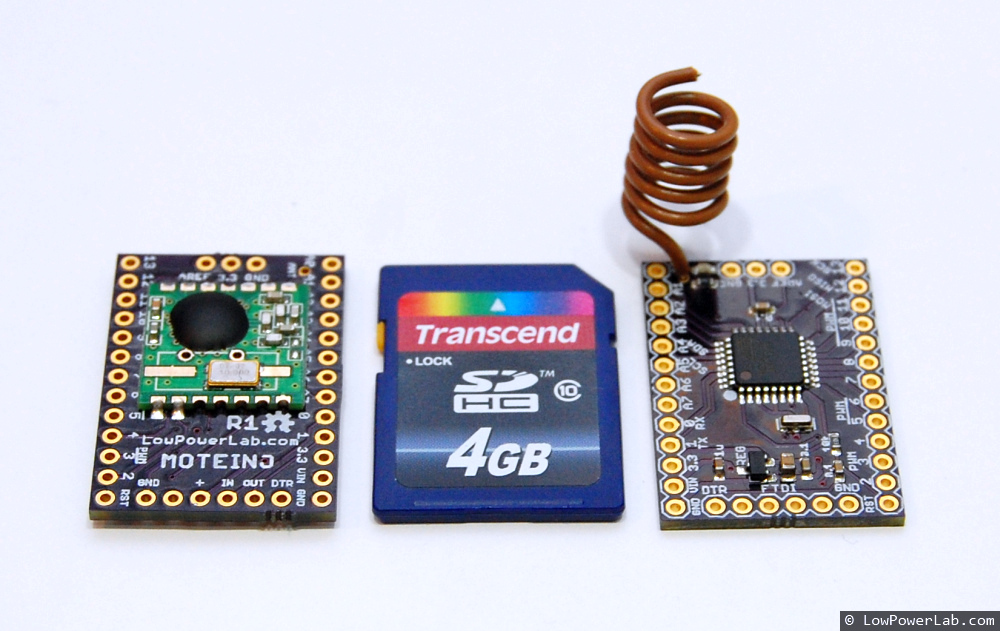
I’ve been working on a Atmega32u4 version of Moteino, one that would allow USB connectivity and inherently no need for a FTDI adapter. This is basically an Arduino Leonardo clone that adds the RFM12B radio and a SPI FLASH footprint for optional data logging ability. I meant to post the details of this for several weeks but never found the time for a write-up.

MoteinoLeo_TOP

I now have a working prototype. I have some small changes in mind but it is functional as is. For this version I had to make a small change to the Caterina bootloader to make the onboard LED work properly. By default the Caterina bootloader assumes the LED is sinking current from VDD to the output pin, my version was sinking current from the output pin to GND. This is one of my planned changes, to allow the default Caterina to work with MoteinoLeo out of the box. Wireless programming will not yet work on Moteino Leo and I don’t know when I will find the time to customize Caterina for this purpose. From all I know Caterina takes about ~4kb of bootloader space which might be too much to add ~500 bytes of extra code. I will have to experiment with this sometime in the future if people actually have an interest in this.

Fun fact: using the same DIY metal stencil technique I was able to make a stencil, apply the paste with it and make this Moteino Leo prototype.

 MoteinoLeo_R1_stencil DSC02551_banner DSC02552

Eagle files and bootloader source are published in GitHub.

ITead Studio PCB service review

Here’s a quick review of some PCBs I ordered from ITead Studio.
While some of the cosmetics of these PCBs are not top quality, electrically they appear to be OK. I assembled several dozen of these from this batch and all the Moteinos passed programming and testing.

Amazon checkout surprise

I wanted to get a wireless adapter for the RaspberryPi.
Amazon had the right one, for ~$22, free shipping, pretty good deal. So I add it, shop some more then I get to check-out.

Suddenly I get this, and it doesn’t look like such a good deal anymore. Yikes:amazon_checkout_surprise

Store is now live!

Moteino_front_back2The LowPowerLab store is finally live!

Notice the new “Store” link in the menu bar.

I’ve spent a few days messing around with OpenCart, trying to set it up correctly. Tonight I was able to finalize the product details and release it in the wild.

For now the store offers a humble range of only 3 products:

  • Moteino
  • Moteino (without radio)
  • RFM12B transceiver.

Shipping is a flat rate, at least for the moment:

  • $2.80 for US orders
  • $6.90 for international orders

I am working on some other projects that may end up as commercial projects and become available in the store.

TI-83 Plus screen calculator fix

DSC_9788The other day I found my TI-83 Plus calculator which I used in college and I hadn’t powered up for years, so I put some batteries in and turned it on. Did I see black smoke? No…instead the screen was all garbled up with all kinds of junk, sometimes it would only have a horizontal line, or take a lot of button pressing to get it to even show anything on the screen. Turns out it was a perfectly good calculator, brought back to life with a simple 10 minute soldering job. Continue reading →

OSHPark PCB service review

MoteinoI used to etch PCBs at home, and I still do when I need them fast and it’s easy enough to to etch on 1-layer copper clad. See my post about etching with vinegar!

But PCB making has become so cheap these days that it’s almost not worth bothering. I’ve used more expensive services and cheaper services as well. The more expensive ones tend to be higher quality when you have very fine detail. But for 95% of the cases, even with fine pitch SMD parts (0402 is the smallest I’ve ever used), hobby fabs like OSHPark, or SeedStudio are quite good. The chinese PCBs tend to be OK for most things but the finer SMD footprints you have the lower the quality gets. Continue reading →