DoorBell + Moteino = Awesome

UPDATE: Check out the new version of this, now with bell enable/disable function!

A lonely doorbell activated by a boring push-button at the front door is not very exciting in a world of Arduino and “Internet of Things”. I’ve been wanting to Arduinize the doorbell into the Moteino Framework gateway interface so that I could:

  • observe/count/graph when the doorbell is used
  • get notified when someone rings it if I am not at home (email, SMS etc)
  • play a sound when I am in my lab where I have a hard time hearing the chime (did I hear it or not? should I go upstairs to check? nah… I’m too busy for that)
  • ring the bell if I want to, *remotely* from your mobile device (why not right? just detecting is too boring)

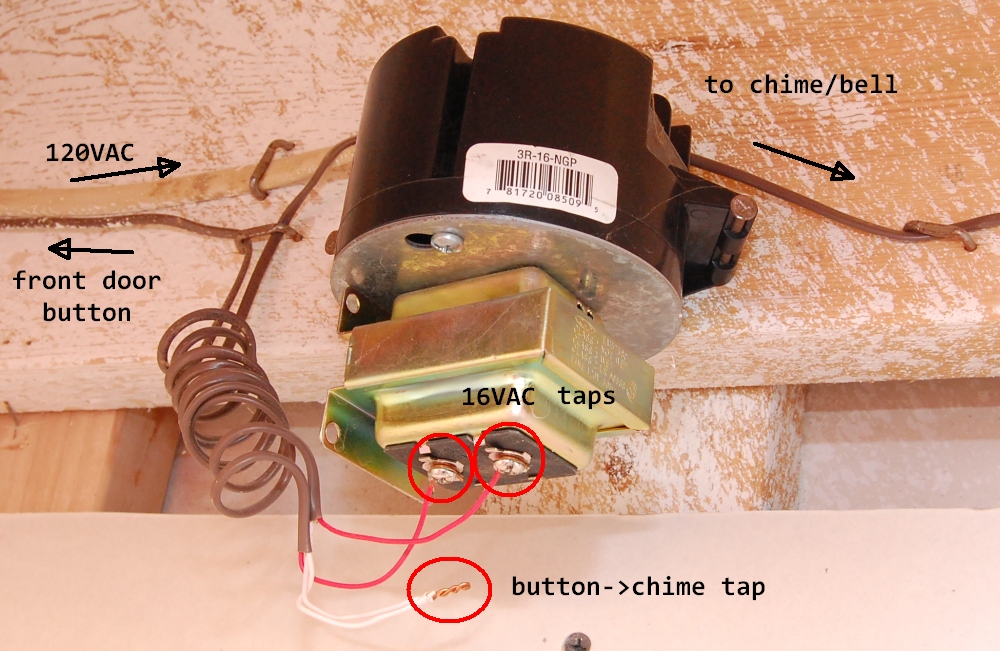
Below is a schematic of what a typical wired door bell circuit looks like, and also a photo of what it looks like in my house. The dotted green rectangle is the circuit that I have physical access to – pictured next to it in my basement (and I don’t have a back door button):

I have a single button (front door) and probably most houses do. So I only care to inject my solution for that front door button. There is typically a 16VAC transformer powered from mains that activates the chime when the switch is pressed. So there are a few issues to solve in order to tap into this circuit, detect button presses and also being able to control it via Moteino:

  • Power our circuit from the 16VAC doorbell transformer. This is a good exercise to  create a DC power source from an AC source. We’ll use a simple half wave rectifier to achieve this
  • Detect when this 16VAC current flows through the wire coming from the outside button. When the button is pressed, the chime will ring and our circuit detects the AC current and outputs a digital HIGH for the Moteino input pin that monitors it
  • Make the Moteino “press” the door bell button when it receives a “RING” wireless message

I will explain these points step by step. Let’s get to work! Continue reading →
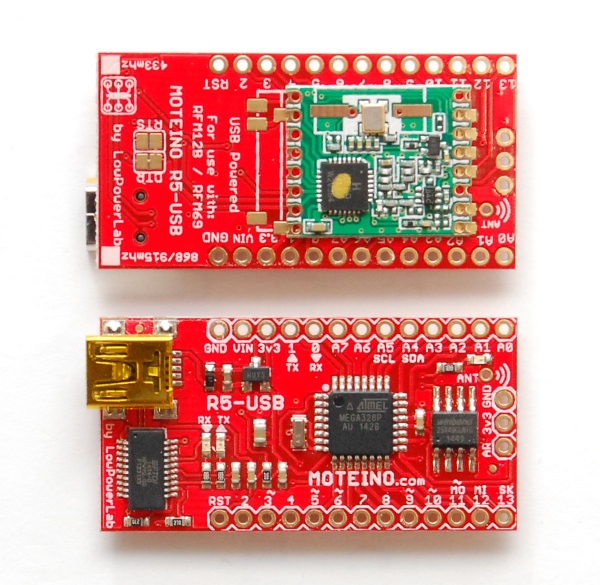
Moteino R5-USB & FTDIAdapter R2

There is now a new revision of Moteino USB (R5). It has 27ohm resistors on the D+/D- lines and pulled up the RST line on the FT231XS chip which should help with any upload issues, see this forum post for more details.

Also the new FTDI Adapter (R2) fixes the same issue and also switches from FT232RL to FT231XS. The reason being the economics of using a chip that is not only cheaper while doing the same function, but also the one and only USB-serial converter I now use.

I assemble all these boards on a pick and place machine and having a reduced and more efficient BOM makes a big difference. The FT232RL came in a wide 24mm tape which occupied a separate 24mm feeder. Buying a full reel of those parts is an impossibility given the price, and partial reels require a leader to load into the feeder, an extra fee every time you buy anything less than a full reel. Plus, some of the leader tapes I buy from Digikey break off pretty easily and so it’s a pain to work with individual feeders and I’m trying to avoid leader tape whenever I can. The FT231XS come in tubes which makes it much easier to work with using the vibe feeder. The only downside is that I have to reload them more often (58 parts per tube).

Moteino now on CodeBender.cc!


IMPORTANT NOTE: unfortunately codebender announced they are shutting down on or after Oct. 20, 2016. Hence forth this page is only kept for reference and it will eventually be removed. The codebender programming instances below might become inactive, display an error or show a blank space once codebender shuts down these services. You are encouraged to start programming or move your code in the Arduino IDE.


This is really awesome news!
The guys at codebender.cc have done a great job creating an online place to create, edit, store, share your Arduino sketches. It’s very easy to install and use right in your browser!

UPDATE: Check the new Moteino Programming Guide.

And now Moteino has been added to their fleet of supported devices, along with the RFM69, SPIFlash libraries. Once your Moteino is connected to your computer, you can edit your sketch, or load the example(s) of the many integrated libraries (like the Node example in the RFM69 library) edit the settings to match your hardware and upload it to your board. Another awesome feature of codebender is embeddable sketches, that’s right, any sketch can be embedded in another web page, like the Node example below, you can upload it right from this blog post (see below for browser plugin requirements, or check this getting started guide):

To be able to use CodeBender you will need to create an account, then install a browser plugin that allows access to your computer’s serial ports, which in turn make it possible to reset and upload sketches to your Moteinos (or whatever other board you may have and they support). Also you need to choose your target board, protocol (USBtinyISP for Moteino) and serial port it’s attached to, then click “Run on Arduino” and that will compile/upload the sketch. That’s about it. Please check their getting started guide as well.

I warmly recommend using CodeBender with Moteinos since it’s easy and much nicer than the clunky Arduino IDE, and it’s probably going to get even better as they add more features. Plus I will work with them to ensure the libraries are in sync with the latest releases, and new examples will also be posted on CodeBender. Of course, you can always add your own sketches to your CodeBender repository, just like you did in Arduino, or you can clone an example and load your own settings and modify the code as you like. I will probably start using embedded sketches whenever I want to share code since it allows CodeBender users to upload it right from this blog rather than going to GitHub, copy pasting, making sure they got all the latest updated libraries, etc.

To celebrate this great milestone I am reducing the pricing on all Moteinos by $2, a saving of 10-15% depending on your options, to last through the end of December!

Happy CodeBending!

Moteino Framework architecture decisions

My vision for Moteino was to create an affordable/open/ideal/easy hardware platform that would fuel a new generation of wireless internet-of-things, and I think it came out pretty decent. My Hackaday Prize entry even made it in the top 50 semifinalists (out of 800+). More devices are being added to the Moteino Framework and existing ones are being improved to make it fun for those makers who like to DIY and solder their internet-of-things from easy to assemble kits. The end users have maximum freedom as far as using/building stuff with Moteino. They can build absoltely everything from scratch, as some have done, but some prefer to just save time and buy building blocks. Hence I funded my way through this adventure by selling ready made Moteinos and kits in my webshop.

People have asked many times why the Moteino was designed the way it was, and why not use this and that and the other type of MCU, transceiver type, radio band, or wireless technology. The number one reason why Moteinos are what they are today is because in the end they need to be designed to manufacture, work well, be reliable, license free, easy and fun to use in a friendly board format, cheap to buy or make, achieve long open air range or excellent indoor obstacle penetration when used with transceivers, etc. Here is my reasoning behind all these decisions and the answers to some frequently asked questions. Continue reading →

Moteino Framework submitted to The Hackaday Prize!

The Moteino Framework (of connected things) is submitted to The Hackaday Prize. If you want to support this entry you can give it a “skull” on the project entry page. Here is the stage-1 video presentation and overview:

If it gets past the first stage I will continue to add more details and refine the entry. Thanks for your support!

Library updates & MoteinoMEGA support

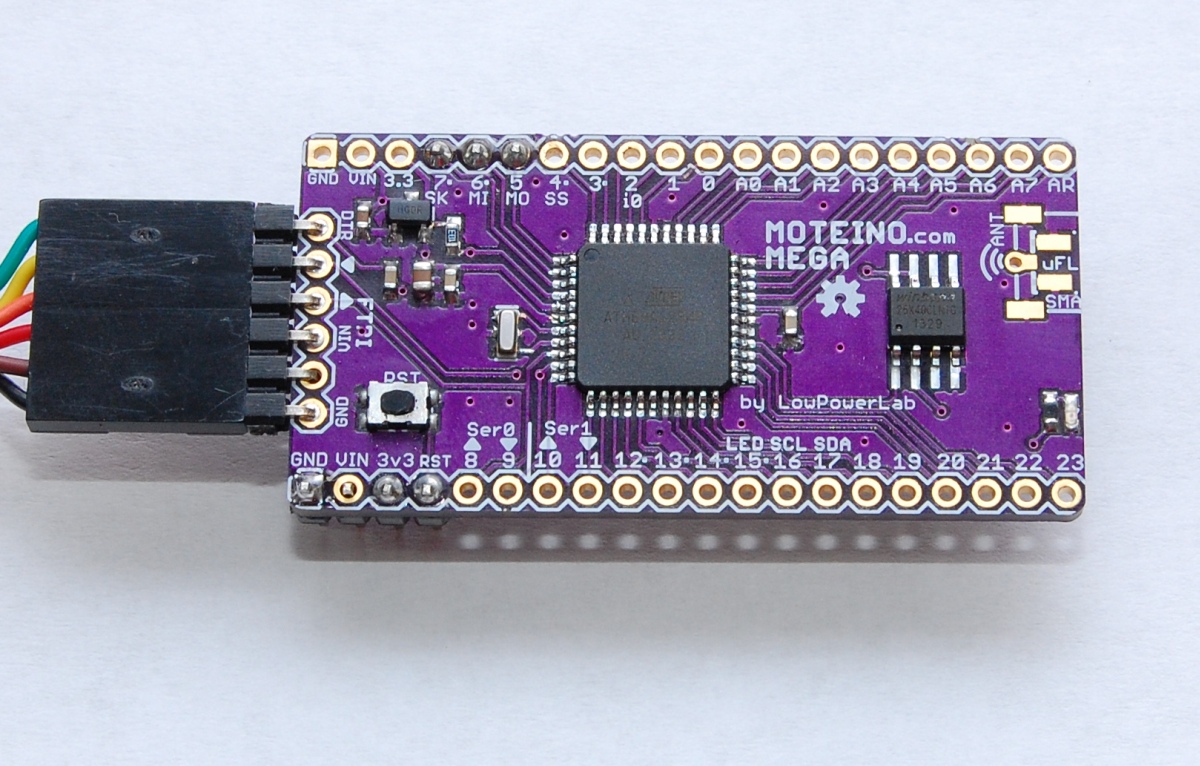
Following the MoteinoMEGA release, the RFM69 library and examples have been updated to support MoteinoMEGA, there are significant changes to the library and you should get latest. The MoteinoMEGA Arduino Core has been released and needs to be installed in the Arduino/hardware folder (stable v1.0.5 tested working) before uploading to MoteinoMega. The Eagle source and schematic/board files are published in the LowPowerLab github repository. The Moteino page was updated to reflect the addition of the MEGA to the Moteino family.

The Wireless Programming library and examples are updated to fix bugs and support the MEGA as well. Another important change is the introduction of radio.ACKRequested() function in the RFM69 lib which should be used instead of the radio.ACK_REQUESTED variable. This ensures that ACKs requested by a broadcaster are ignored and only targeted ACKs are responded to. Please update your examples for proper wireless programming behavior. All examples have been updated to reflect this change. Also the SwitchMote sketch has been updated.

I consider this a major release and hence your constructive feedback and notification about anything that was omitted is appreciated.

MoteinoMEGA available now!


UPDATE: Library/Eagle files/MEGA Arduino Core/Example update notes are here.


It’s alive and it’s BLUE!

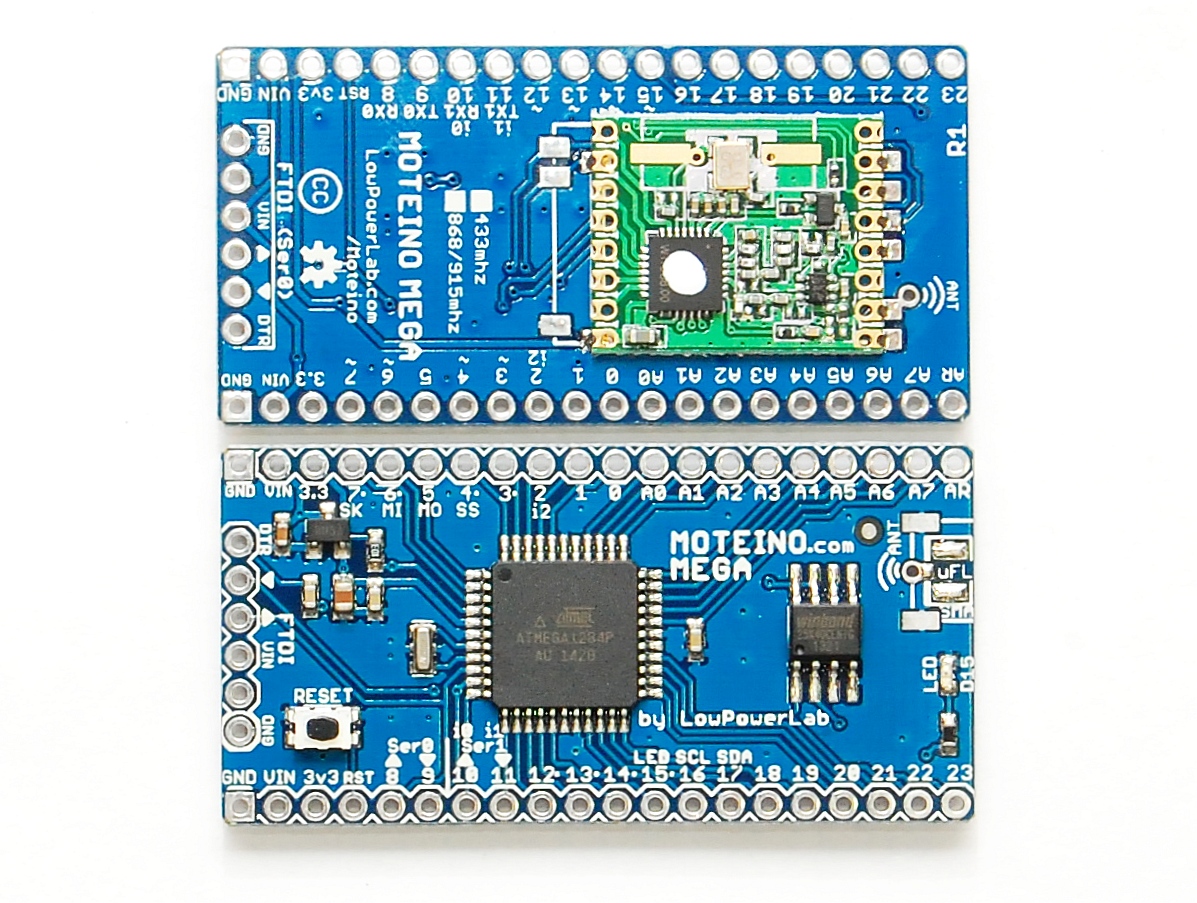
After long PCB manufacturing delays and a lot of headaches, the PCBs finally arrived, and I assembled the first batch of MoteinoMEGAs today and they are available in the shop.

Other news:

  • MoteinoUSB is also back in stock now.
  • Worth noting that all Moteinos have started to ship with MCP1703 regulator which allows up to 16V input.
  • MightyBoost is being worked on and should become available in a few days if all is well.
  • There is a major release of patches coming to the RFM69 library, wireless programming library, SPIFlash library, along with the new MoteinoMEGA arduino core that will be released soon.
  • DualOptiboot is will also be upgraded to V5 and is compatible with Moteino, MoteinoUSB and MoteinoMEGA. All these boards are wirelessly programmable via DualOptiboot and the FLASH chip. The MEGA board will have a limit of 64kb wireless image upload even though the total flash available is 127/128KB (DualOptiboot takes 1K).

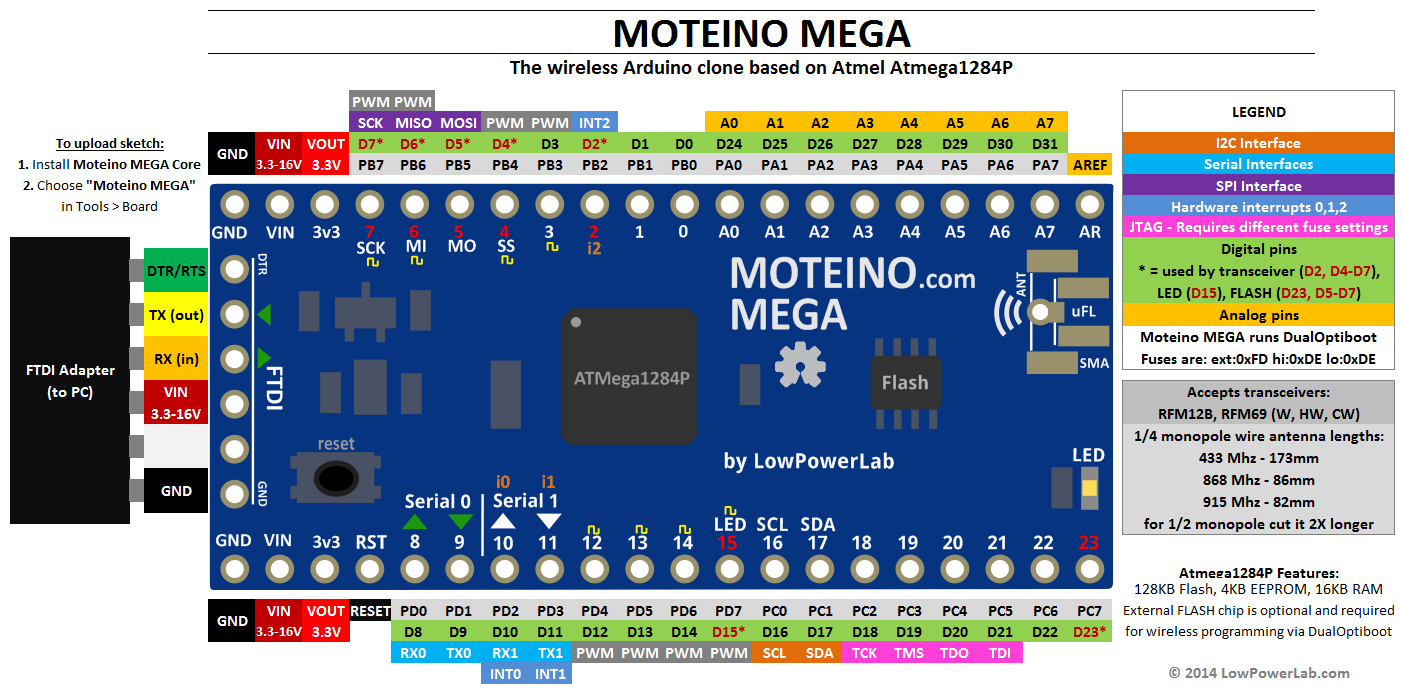
Documentation and product pages are being worked on, so stay tuned for all these releases. Here is the pinout diagram for MoteinoMEGA:

Moteino MEGA update

I wanted to give those interested an updated about my efforts with Moteino MEGA (atmega1284p based Moteino). The issues are now apparently resolved and the atmega1284P is playing nicely with the RFM69 radios and the Windbond FLASH chips I am using and I am looking forward to making the first batch of MEGAs in the near future. It was mainly a SPI timing issue and the 1284P core. I was also able to rewrite DualOptiboot based on Optiboot V5.0, and can confirm that wireless programming is working on the 1284P, I will post the updated bootloader soon. There will be minor but important updates to the RFM69 and SPIFlash libraries. I will release all these in the near future along with the MEGA and its own Moteino MEGA Arduino core. Hopefully this will be a useful and stable platform for those in need of more GPIO and the extra features of the  larger atmega1284p microcontroller.

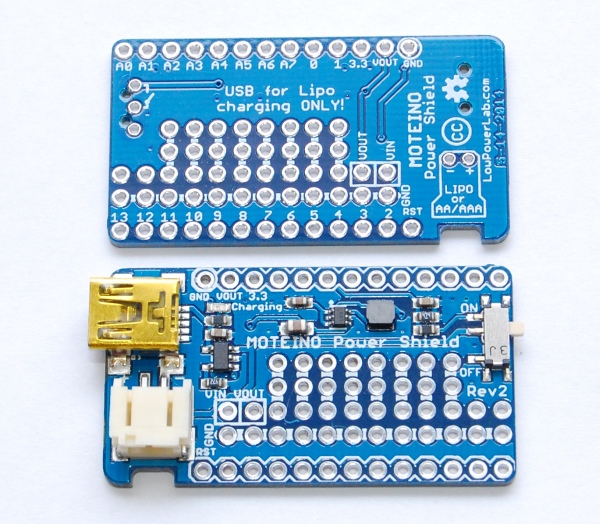
PowerShield R2 released

Due to some intermittent voltage drop issues on the first revision of PowerShield I refactored the design and released a new PowerShield R2 based on the LTC3525 fixed 5V booster that should address this issue. This is a much more expensive chip than the TPS61220, others have used the Linear Technology boosters with success so hopefully it’s more reliable, but price will reflect this. It also means there is no switching between 3.3V and 5V output any more. For 3.3V projects, a Lipo can be connected directly to Moteino and the onboard regulator will provide up to 250mA of current to the Moteino itself and any other peripherals attached. There are also some other changes, notably the charging current has been set to 212mA (4.7K PROG resistor on the MCP73831), down from 500mA (2K PROG). The battery connector has been rotated 90 degrees and a notch underneath it was added to allow the wires to be flush to the enclosure sidewall. The rotation was done to allow the USB charging side to be inserted in the wall of an enclosure without the wires interfering with that. This should be ideal for MotionMotes or similar projects where a PowerShield+small Lipo are used instead of a 9V battery. Then the MotionMote could be plugged in and recharged whenever it runs out of juice, without opening the box. Continue reading →

Moteino MEGA prototype

UPDATE: The issues are now resolved. See this post for updates.

Hello folks. I’ve been trying to develop a new Moteino variant, one based on the ATmega1284P chip. I dubbed it Moteino MEGA since it has significantly more memory, IO and functionality than the 328P. All went well except when trying out with RFM69 radios, I can only transmit but not receive. So I’m writing this post in hope that someone else tried the RFM69 library with an Atmega1284P and has some tips to spare. I’ve been using the maniac-bug 1284p arduino core and from all I can tell the external interrupts are set correctly in this distribution. I used my Node sample sketch with appropriate RFM69 settings. The receiver is a regular Moteino. The Moteino MEGA is calling sendWithRetry(…) which sends the packet 3 times until it gives up. All three packets are received at the gateway, and all 3 ACKs are sent back. I modified the RFM69 lib to attach the interrupt routine to INT2 if it’s a mega1284p. But the interruptHandler() in the library does not trigger on the Moteino MEGA. I pulled the logic analyzer and it looks like the INT2 (D2, wired to RFM9’s DIO0) goes HIGH when it’s expected (and stays HIGH quite long, weird), but the interrupt routine is not called. That’s where I’m stuck. At this point I’m not sure where the issue is but I tried a simple interrupt handler program which seems to trigger just fine:

boolean interrupt = false;
void blink()
{
  interrupt = true;
}

void setup()
{
  pinMode(LED, OUTPUT); //LED=15
  attachInterrupt(2,blink,RISING);
  Serial.begin(115200);
}

void loop()
{
  if (interrupt)
  {
    Serial.print("X");
    for (byte i=0; i<10; i++)
    {
      digitalWrite(LED, HIGH);
      delay(25);
      digitalWrite(LED, LOW);
      delay(25);
    }
    interrupt = false;
  }
  
  digitalWrite(LED, HIGH);
  delay(500);
  digitalWrite(LED, LOW);
  delay(500);
}

I hope to get past this hurdle and be able to release this new board since some people asked for more memory and IO. I have yet to port DualOptiboot to it but I need to solve this mistery first. Maybe there’s a bug in the 1284P core. Or something I’m omitting, just out of ideas right now. If anyone has an idea why this is happening please let me know. Thanks!

UPDATE: I tried an RFM12B with the atmega1284P and the good news is it works with my RFM12B library. The bad news is that after about 15 minutes of running the sample send sketch it stops working and the atmega1284p appears to be completely nonresponsive, even to the AVR programmer. I’ve tried this with 2 chips, both died after about 10-15 minutes of continuous transmission. So I’m baffled. The power supply is the same as the regular Moteino – 3.3V and nothing heats up, radios wired the same except to INT2 instead of INT0, same 16mhz resonator. Chips were from digikey so I don’t think they are counterfeits. Any hints anyone?