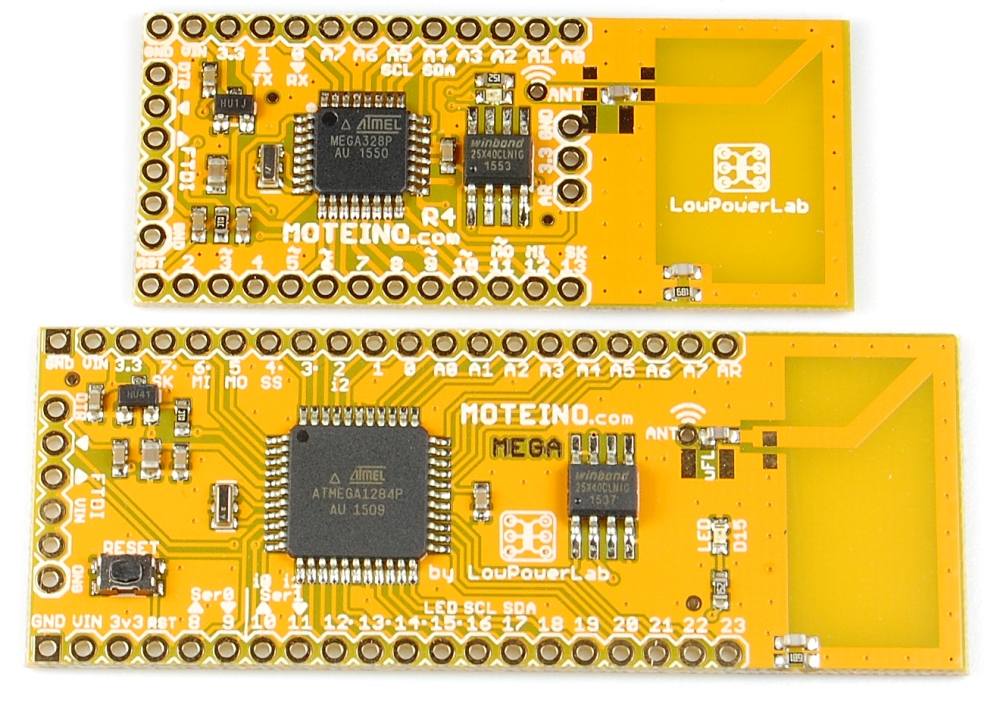
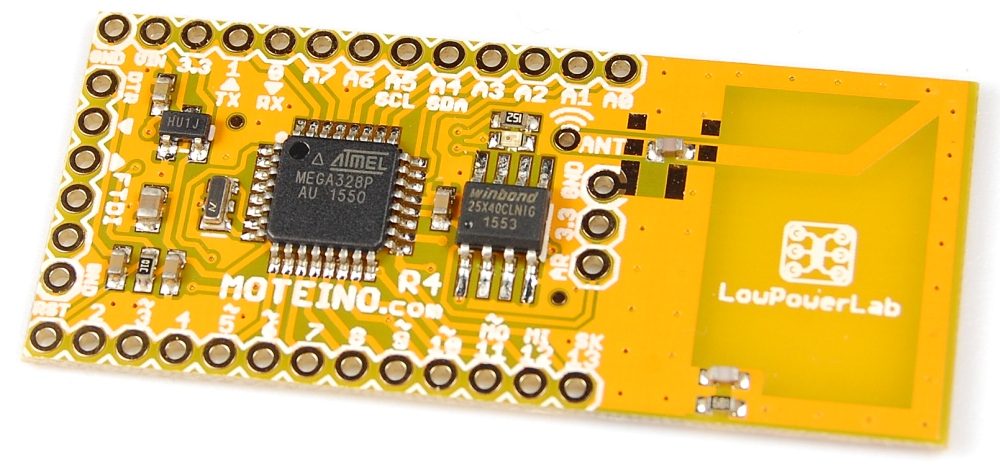
Moteino with trace antenna

I had previously released a MoteinoMEGA with trace antenna, and there is now a regular Moteino with trace antenna. Everything is the same as the MEGA variant, except of course this is the atmega328p based Moteino, the most popular variant. The antenna is tuned to work in the 868-915 bands and should deliver very decent performance, close to the wire monopole. Here it is next to it’s MEGA sister board:

MoteinoMEGA with trace antenna

Over the past few months a friend has helped me create a MoteinoMEGA variant with a trace antenna tuned for between 768Mhz to 1.16GHz. So this should be great for 868-915mhz. I’ve tested this variant myself (915mhz) and I was surprised how well it performs compared to a wire monopole (which will still be better given the type of antenna). I did not do extensive testing but I am pretty confident this turned out as a great antenna and I am offering the remainder of this batch for those eager to have one and perhaps do more testing on their own. Depending on the response I may or may not ever make more of these, we shall see. The same antenna could be used with any other Moteino but I want to see the response of the users before I invest too much capital in new batches of Moteinos. The ANT pad and u.FL footprint are still there if for some reason the user wants to cut off the trace antenna and use one of those instead with a monopole or different antenna. Otherwise everything else is the same, well, except the yellow soldermask which has a nice orange hue from my new PCB supplier. I will offer these with RFM69W/HW in 868/915mhz or without a transceiver, your choice. Enjoy.

Wireless Programming just got 50% faster!

The Wireless Programming GUI app that I introduced in an earlier post is now at version 1.2 (get exe here). It features the ability to bundle up to 3 HEX file lines per RF packet (instead of the default 1), which yields a significant transfer speed increase. Let’s just do the TL;DR first and gaze at the results of transferring a compiled sketch of 13,858 bytes:

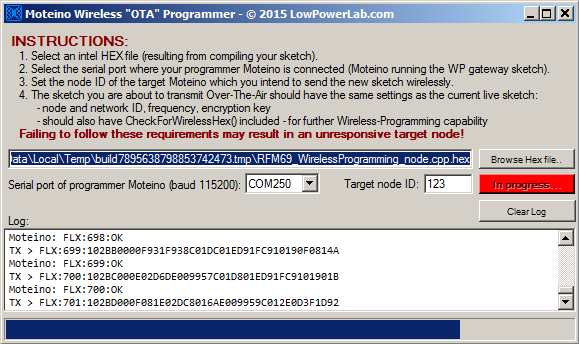
  • running with 1 line per packet (the same as before) yields 866 packets and ~43s OTA time:
  • running with 3 lines per packet yields 290 packets and ~18s OTA time:

That’s an average 58% speed gain, not too bad!
By comparison, the same sketch uploaded directly via FTDI/serial takes about 13s, so much closer to that figure than before. I think a few other techniques could be used to squeeze yet more speed (increasing RF bitrate!) but that’s for another day.

Note that the same exact data is transferred, except in fewer longer packets. I had to make some changes to the WirelessHEX69 library to support these longer packets. Also I fixed some bugs that emerged during this development, see the github commit for all the changes.

To support the new GUI v1.2 speed increase you only need to update your WP programmer Moteino with a new version of the WirelessProgramming_gateway sketch (to refresh the WirelessHEX69 code) to make it support the faster WP speed (ie also update the WirelessHEX69 lib!). Everything else is completely backwards compatible, and you can use the new GUI v1.2 with an older WP programmer Moteino if need be (1 line per packet only), and also all old target nodes that are OTA/WP programmable are not affected at all and can be updated at the new speed. FWIW you can actually use 1 or 2 (not sure why you would) or 3 lines per packet (the new default going forward). Experiment and see what your own speed gains are! Please report any bugs or issues in this forum!

Wireless Programming desktop app

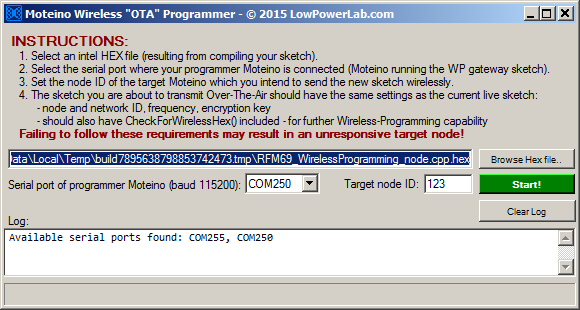
Finally, it’s here – my own Windows desktop app for Moteino Wireless Programming, download the exe from here. Not sure why I didn’t make this sooner, maybe because the command line invoked python script version works perfectly fine and also maybe because there was already a vb6 version built by someone else. But, it’s time to dust off my .net GUI skills and put C# to work. And the result is this:WP1

Not much to it really, a mere 300 lines of loosely written code, last (mid)night. Here’s a rundown of the features, I tried to make this a bit more useful and intuitive to use than the command line python script, so that would be the main attraction other than being a GUI:

  • gives you a list of available serial ports so you don’t have to guess (you still have to know which serial port your wireless programmer Moteino is connected to)
  • allows you to type/paste or browse for a hex file
  • allows a numeric target node ID
  • once all settings are populated with valid info, the Start! button is enabled
  • upon exit, it saves the settings to registry and attempts to read them back in future launches

Clicking Start! will do some validation and start the OTA protocol just as the python script did it, but also gives you more visual feedback with a progress bar at the bottom:WP2

I will potentially expand this to allow remote wireless programming through a tcp port, just like the 3rd party vb6 app, but I doubt that will be very popular so I am sticking to the basics for now. If there are any bugs let me know.

This is it for 2015, see you on the other side of 2016!

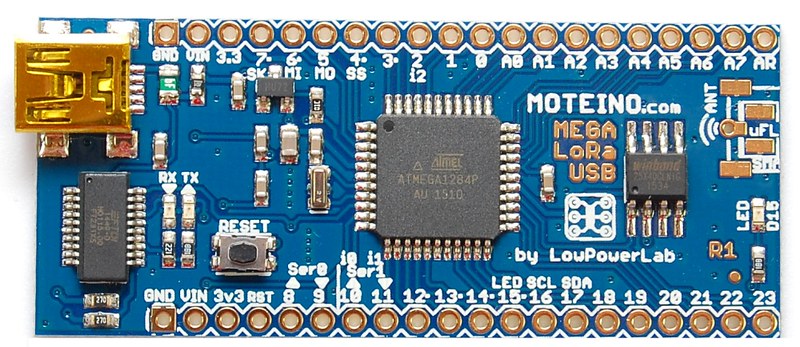
New product: MoteinoMEGA-USB with LoRa footprint

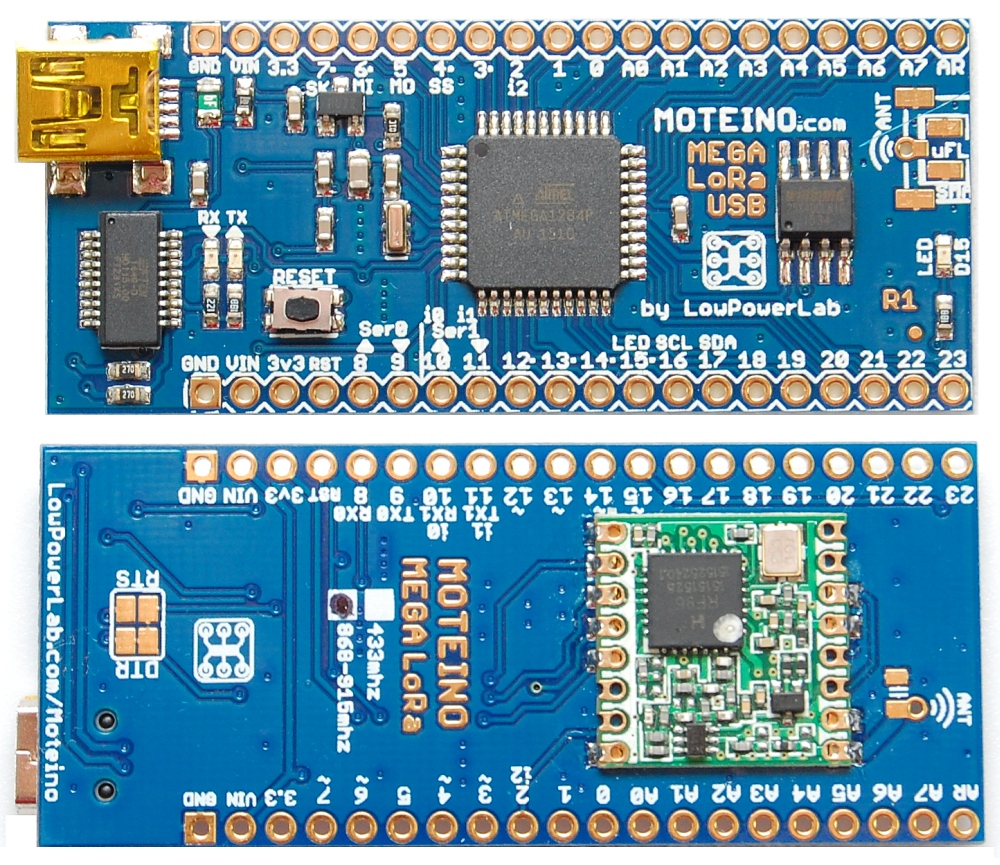
There is a new variant of Moteino available: MoteinoMEGA with LoRa footprint and onboard FTDI USB-serial converter. This is the first MEGA USB variant. It will also work with RFM69HCW radios if you want a MEGA-USB with RFM69, but for now you will need to source your RFM69HCW from somewhere else. Otherwise all sketches and examples should work as before. I have yet to create a pinout diagram for this variant but it’s pretty much the same as the MoteinoMEGA. Here is a shot of both sides, shown with a RFM95 LoRa transceiver soldered on the bottom:

RFM69_ATC: Automatic Transmission Control

There is now a new extension to the RFM69 library. It’s called RFM69_ATC aka Automatic Transmission Control. Many thanks to Tom Studwell who implemented this and shared it in the forum. The basic idea behind this extension is to allow your nodes to dial down transmission power based on the received signal strength indicator (RSSI). For instance a sleepy battery node like a MotionMote sits still inside the home and usually has a very strong received signal, somewhere in the range of -30 to -40dBm when transmitting at full power. You could manually tune that down using radio.setPowerLevel(..) in code but its tedious and is a static change, if you move the node or conditions change it will not be smart to adjust the power level to the new environment. However with RFM69_ATC this is done automatically for you, you just need to indicate a target RSSI. On each packet sent and ACK received (using sendWithRetry(…) is required), the node analyzes the actual RSSI and continuously adjusts its own transmission power level of the RFM69 transceiver to attempt to match the target RSSI (+ or -). This way that end node is only “loud” enough to be heard by the gateway, not much louder. Close by nodes can “whisper” while nodes farther away or with more obstacles will “speak up” as necessary but avoid that default fixed maximum “screaming” level. This is “polite” in terms of “RF pollution” and efficient in terms of power consumption. Even non-battery nodes where power is no problem should implement this for the sake of the “polite” factor.

I have updated the Node and Gateway examples to have ATC enabled, and also the MotionMote example is now ATC enabled, in this case with a target RSSI of -90dBm. The noise floor is somewhere around -100dBm with the default RFM69 lib settings, so for static nodes that won’t experience a lot of movement or temperature drifts, a -90dBm target is pretty safe. That will keep the transmitter power to a minimum and save power. We know that the greatest toll on a battery powered node are the spikes of current used when the transmitter is active (up to 130mA for RFM69HW). Reducing the transmit power level to the minimum required will exponentially reduce that spike and result in longer battery life and a more “quiet” sensor network that won’t reach across your whole neighborhood. This is really awesome!

Here is a sample transmission using the Gateway and Node examples linked above. Note how the node starts transmitting at full power, then dials down power to match a test RSSI target of -68dBm. This is output from the Gateway end:
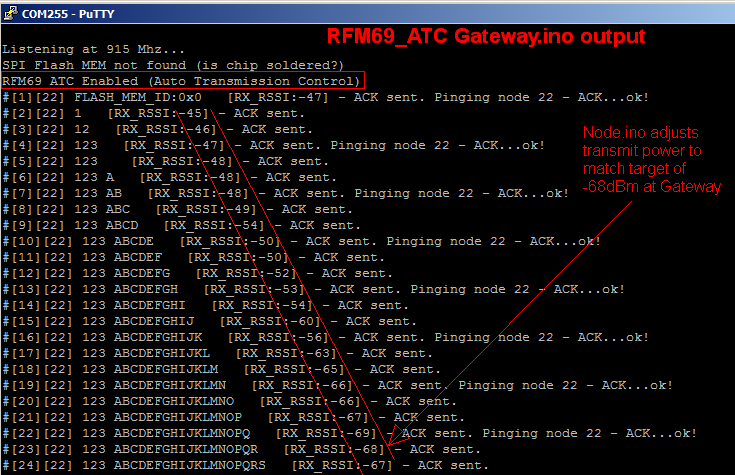
ATC

There are a few required changes to a sketch where you want to use ATC:

  • you must #include <RFM69_ATC.h> in addition to #include <RFM69.h>
  • you must use RFM69_ATC radio; instead of RFM69 radio;
  • for the gateway/receiver end the above two changes are sufficient, for the end node that does the power level adjustment you must also do the following:
  • in your setup() function (after all RFM69 initialization is complete) call this function to set your target RSSI: radio.enableAutoPower(targetRSSI);
    • targetRSSI is a negative integer, should be from very strong (-30) to very weak (-95). Usually you would want to be closer to the noise floor end (-100) since you want to reduce transmit power to the bare minimum
    • this is a one time call that enables the dynamic adjustment of the output power on that node
  • you must use radio.sendWithRetry() instead of just radio.send() or a combination of radio.send() and radio.receiveDone() for the radio to be able to receive the important headers from the gateway that tells it how to handle its power, this was done in the MotionMote example linked above

Once these changes are implemented, the node will start to progressively dial down power (assuming it starts transmitting at full power) with each packet sent, until the RSSI meets the target. When the RSSI is below the target power is dialed up again and so on, in an attempt to stay as close to the target as possible.

In the examples that I mentioned there is a pattern that I followed by implementing a define directive (#define ENABLE_ATC) which when left uncommented will enable ATC at compile time, if removed/commented the sketch will run normally without ATC. As always, bug reports, suggestions and contributions are welcome, the forum is the best place for that purpose.

I must mention here that at this time I have only partially implemented his variant with some adjustments to Tom’s implementation (I left the differences commented out in my version). For now I chose to leave my power control resolution as is. He actually went into more detail allowing a finer control of the power control – this is because of the differences between RFM69W and HW which handle output power control differently. If you’d like to try his variant with that extra control check this forum post or his Github repo. Thanks Tom for your great contributions and inspiring this piece of work and also the awesome forum projects you’ve posted!

More Awesome DoorBell Control


UPDATE: I eventually decided to use a single switching regulator that I found on digikey which is both awesome and well priced. See this blog post update about it.

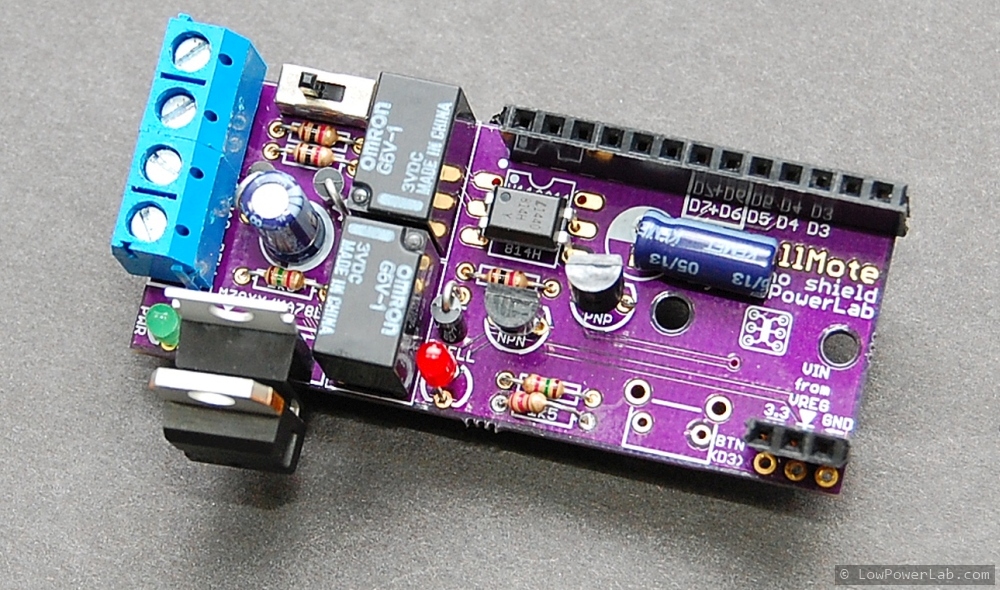
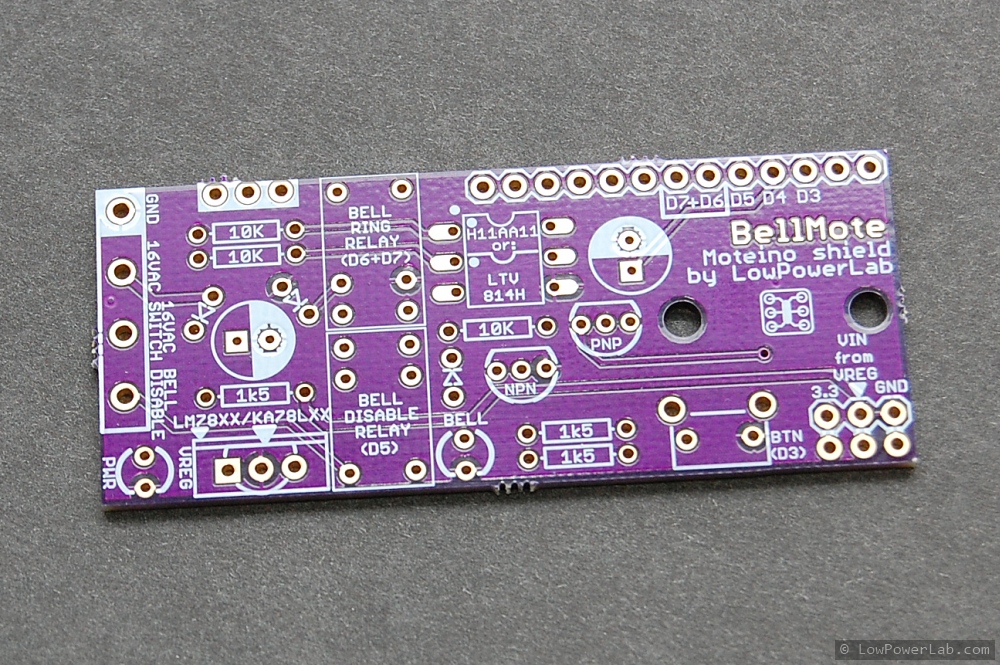
My first DoorBell Mote prototype was working nicely and it allowed monitoring the door bell (while also triggering it remotely – toddlers love it). But I wanted more. On weekends the family likes to get a well deserved nap during the day and often those pesky solicitors ring the bell and wake everyone up. So naturally the doorbell has to be disabled also, without major effort or any disconnected wires. Sounds like the perfect addition to the Door Bell Mote. So I made a new revision and a proper PCB for this, below is the schematic with the changes and the proto PCB from OSHPark. Actually I made more changes to the schematic after putting together the PCB, so there are some differences. I’ve tried a LTV814H optocoupler for AC detection instead of the more expensive H11AA11, it works just as well, but both can be used on this PCB:

bellmote_schematic

There are 2 regulators on this PCB. One is a 12V linear LM7812. The second is a 3.3V linear regulator getting input from the 12V LM output, both in TO220 packages. I know they are super inefficient to convert rectified 16VAC to DC voltages and the critics will stone me for doing this. But here’s the deal – the linears are about 50cents each and I had both among my junk parts. An efficient switching regulator is somewhere between $5-$10. The linears run somewhat warm. The 3.3V regulator only gets warm when I use the disable relay. So they can get warm but not hot, which is fine by me, it’s just a tradeoff. I might make a new revision where I have a single switching regulator such as this one, a drop in replacement for the LM linear regs. Continue reading →

Autonomous filming of GPS+Moteino moving objects

Hackaday.io user [Walker Eric] is an RC airplane enthusiast who wanted to record his plane flights autonomously, without the need of a 3rd hand or having to ask a friend to stand by for this purpose. The flying target should ideally be in the center of the camera field of view. For this purpose he designed a nice video-tracking system composed of a small LiPo powered Moteino+GPS unit that is mounted on the moving target (the RC plane). This reports frequent GPS positioning to the base receiver unit which controls a video camera movement via motors and follows the fast moving RC airplane.

He has managed to produce a really good prototype and has even submitted this as a 2015 Hackaday Prize entry. Zooming is desirable and it’s one of the features he is still working on. Overall this was a great project that Eric has shared with me and I’m quite happy that the Moteinos involved can handle the GPS coordinate transmission between the moving airplane and the base station.

This project could of course be used to autonomously record video of other types of RC moving objects. I can also think of people who want to film themselves doing some activity or record a moving object/animal etc. Check out his project page for more videos, photos and details of the build, and give him a skull!

Moteino Compost Sensor Network with Adafruit-FONA GPRS relay

I occasionally get emails from people that use my products in their projects and some of them are real gems. Other times I just run into them online somewhere or someone tips me off somehow. I did a poor job of keeping track of these but lately I thought I should start presenting the nice ones, maybe there are other people that have interest in similar things.

In this post I’d like to present a compost sensor network built by instructables member kinasmith. Who knew composting can be so interesting and complex.CompostNetwork2

It sounds like composting on a large scale requires careful monitoring of certain parameters so that the pathogens that aid in the process are kept happy and efficient. [Kinasmith] shows off a detailed and beautifully put together instructable that uses Moteinos, temp sensors and a solar powered Moteino+AdafruitFONA gateway to relay the data to his Sparkfun cloud, among other things. He goes into a lot of detail and I really like the nice touches and the effort that went into giving this project more than that hobby level feel. Check this cool project out on instructables.

FEJNV8RI8G5RYIQ.LARGE

Gateway Dashboard Overview

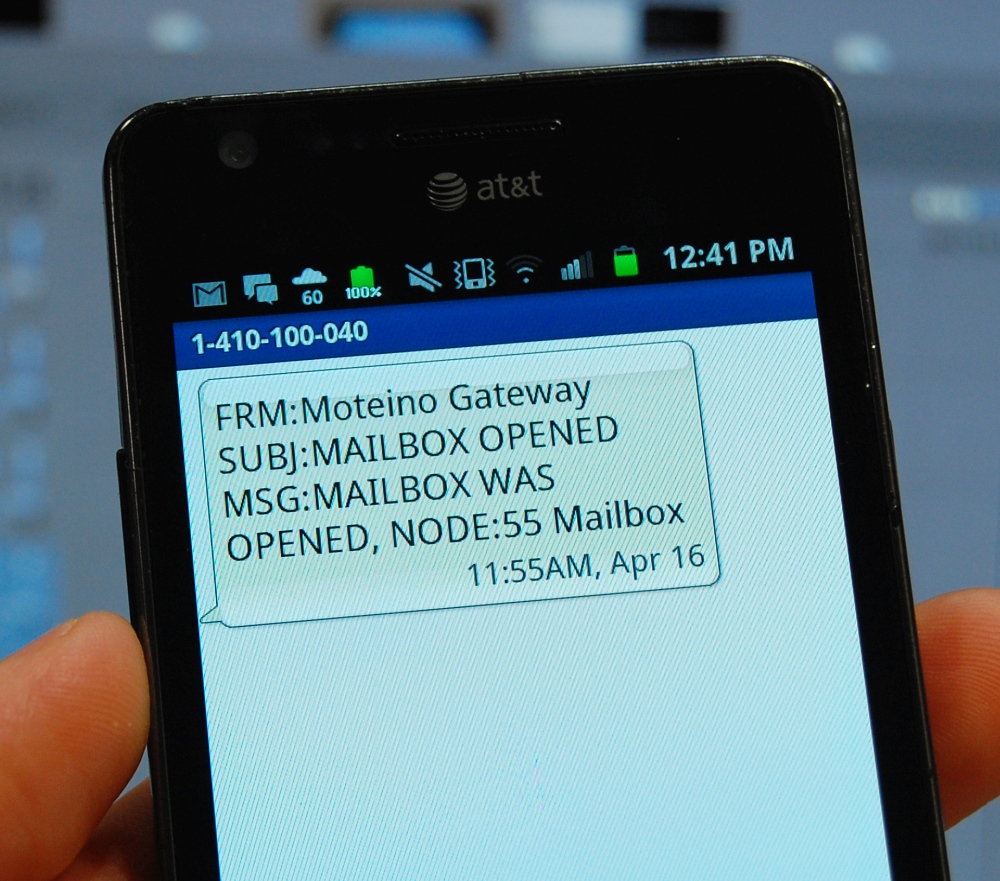
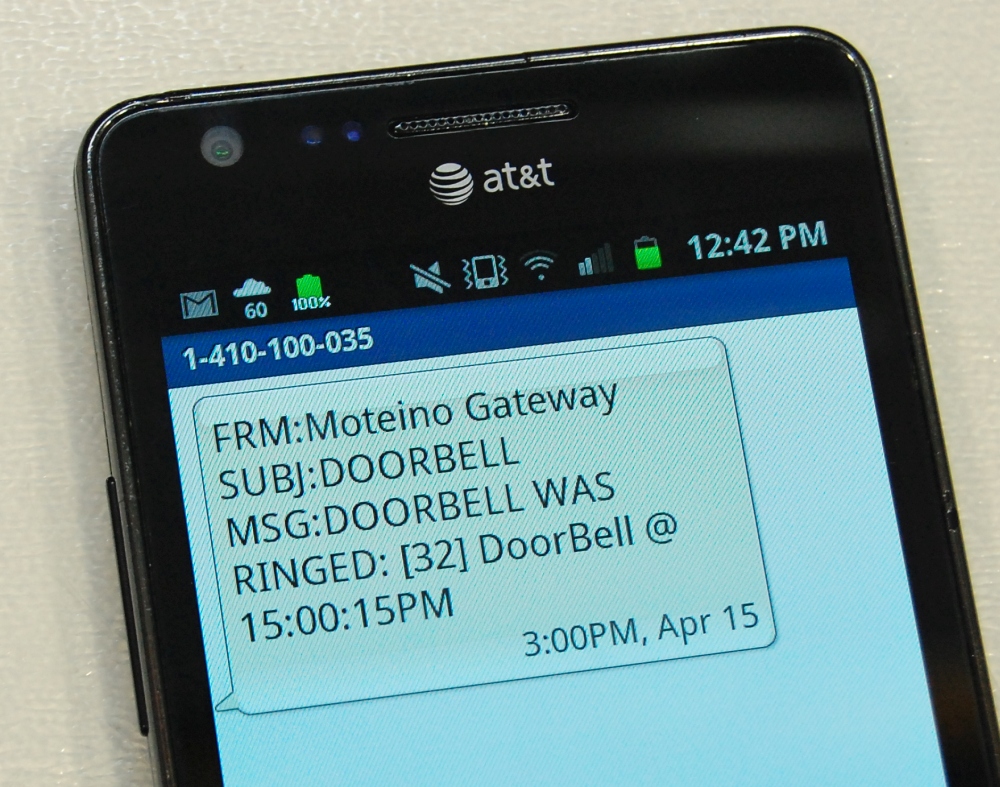
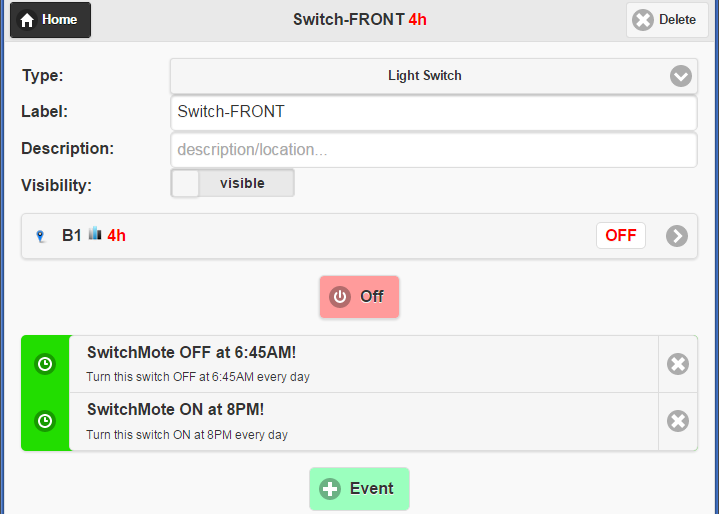
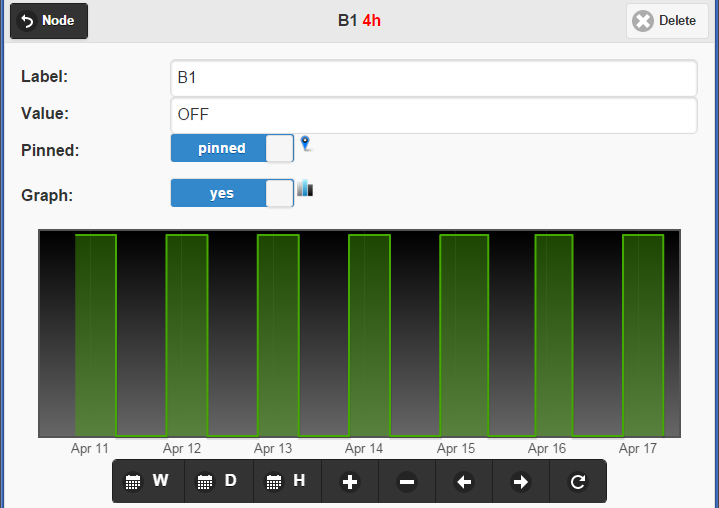
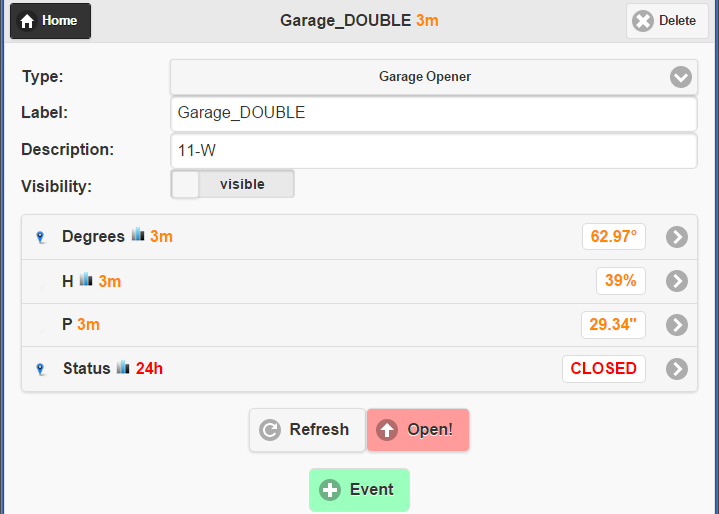
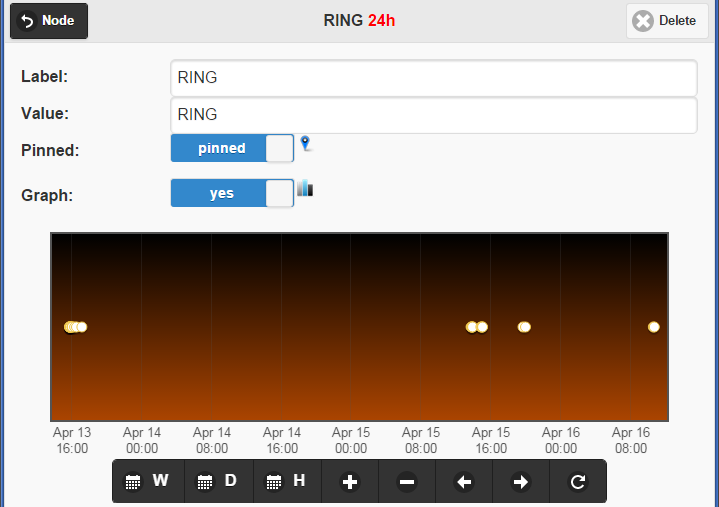
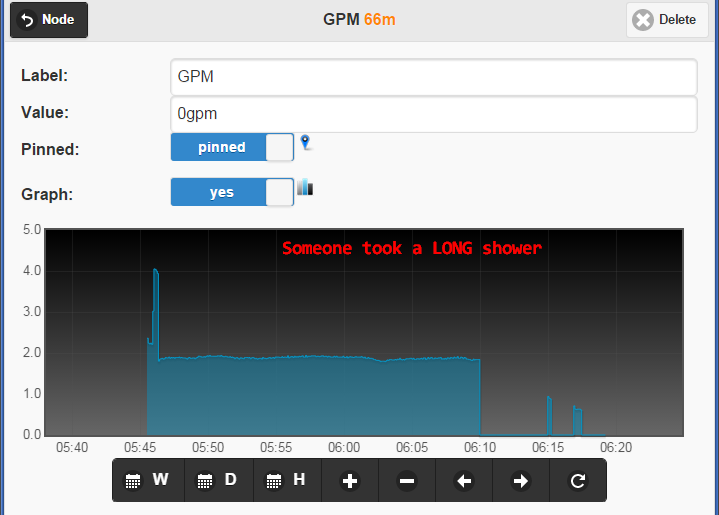
I’ve been talking about a new gateway interface for a while in the forum. I will release more details and the source code soon. Here’s an overview that I’ve put together the past week,  and some screenshots below with graphs and other available features:

Here are some more screenshots:

MAILBOX_DSC_7214DOORBELL_DSC_7220
MOTION_DETAILSMOTION
SWITCHMOTE_DETAILSWITCHMOTE_GRAPH
GARAGE_DETAILGARAGE_GRAPH
DOORBELL_DETAILSDOORBELL_GRAPH
WATER_GRAPHSUMP_Graph2

This content will be updated and improved on the dedicated Moteino Gateway page where all the source code and details will be published.